
Files, folders and annotations on the job
Documents live on the project and customer — with mobile photos and annotations. BIM/IFC is a read-only project tab. No git-style versioning and no unlimited GB.
Files on job and customer
Folders and search
Photos and image annotations
BIM/IFC read-only on the project
Verified industry data
Construction lags in productivity. Digitalisation can change that.
These figures describe the industry, not a guaranteed Bidmio result. The product addresses the mechanism: one source of truth for projects, documents, time and customers.
In a US FMI survey, project team members spent an average of 5.5 hours a week looking for project information.
Source: FMI / PlanGrid (2018)In the US FMI survey, 48% of rework was linked to poor communication or poor project information.
Source: FMI / PlanGrid (2018)European construction professionals rated 40% of company data as inaccurate, incomplete, inconsistent or delayed.
Source: Autodesk / FMI (2021)Digital transformation can raise productivity according to independent analyses — the outcome in your firm depends on processes, training and adoption.
Document management in Bidmio
Every company and job file in one place.
A document library with previews, details with versions and the files on each job.
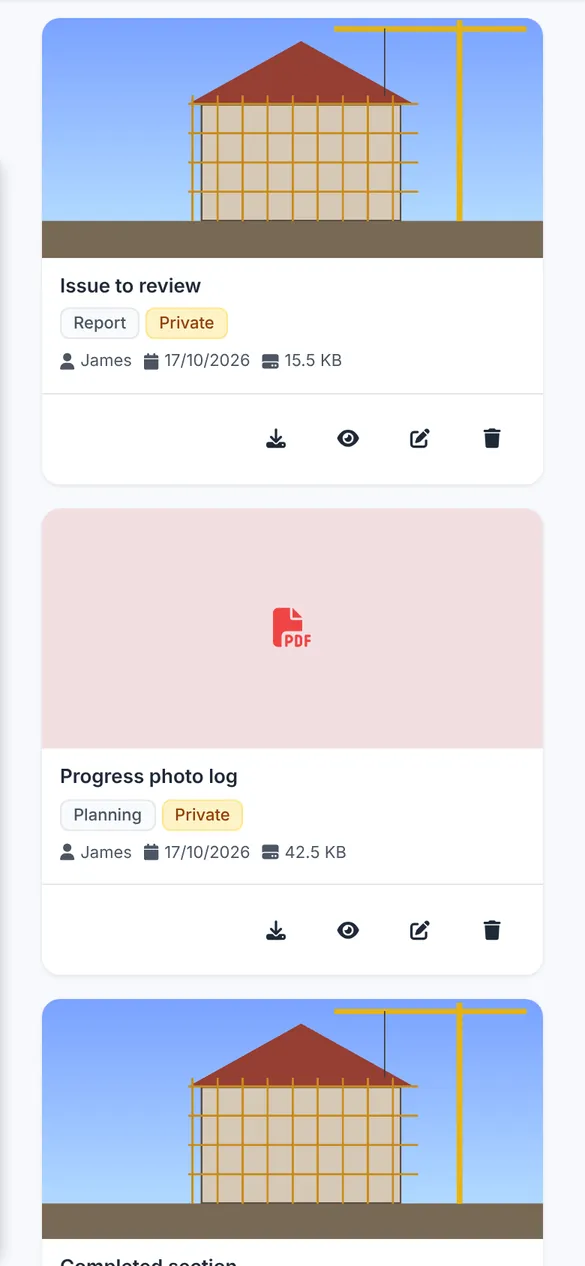
Document library
Documents with previews, categories and a date filter.
How it works
Simple process from setup to results
Upload a file
To a project or customer, with size checks and virus scan.
Place it in a folder
Folder tree and tags on the project.
Annotate a photo
Notes on images for the site team.
BIM on the project
Read-only IFC viewer in the project tab.
Comprehensive features
Everything you need for successful management
Files on the job
Documentation tied to the project, not scattered mail.
Folders
Folder tree on the project.
Photos from mobile
Upload from the field to the right job.
Frequently Asked Questions about Bidmio
Get answers to common questions about Bidmio
Everything about the project management solution
Complete guide to features, benefits and best practices for construction companies. Discover how a revolutionary solution can transform your projects.
Upload to object storage, categories/tags, search, project folder tree, image annotations, virus scan, file size limit (around 50 MB).
BIM/IFC viewer is on the project, not a global DMS. QC checklists and project audit are other modules — not “quality control” baked into DMS.
Storage follows the plan (storage_gb). We do not promise unlimited GB on every plan. Document versioning like Git is not the product.
Learn More
Explore our in-depth articles to learn more about this topic
Audit Trail and Change History in Construction
An audit trail protects construction firms in disputes, inspections and claims. What a good trail records, a model example, common mistakes and honest limits.
Read articleHow to Digitalize Your Construction Company in 90 Days | Complete Guide 2026
How to digitalise a construction firm in 90 days. McKinsey, Eurostat and the EC on productivity and ERP. A practical plan for firms with 5–50 people.
Read articleRelated modules
Expand the functionality of your construction company with these complementary modules
Start digitalizing your construction business today
Start with the first month at 90% off or book a call.