Software for carpenters and joiners from survey to handover
The quote for a staircase, a fitted kitchen or a run of doors, the deposit for the timber, hours from the workshop, the site diary and the invoice all stay on one job. Below is the whole process, followed through one real oak staircase.
How joinery software works: 10 steps from survey to handover
Ben runs a joinery workshop on an industrial estate in Norwich with two joiners and an apprentice. A homeowner wants an oak staircase and a joinery refit for her Victorian terrace: the staircase and doors at a fixed price, fitting by the hour. This is how he takes the job through Bidmio.
1
Monday 8:00 · Enquiry
A homeowner rings about a new staircase
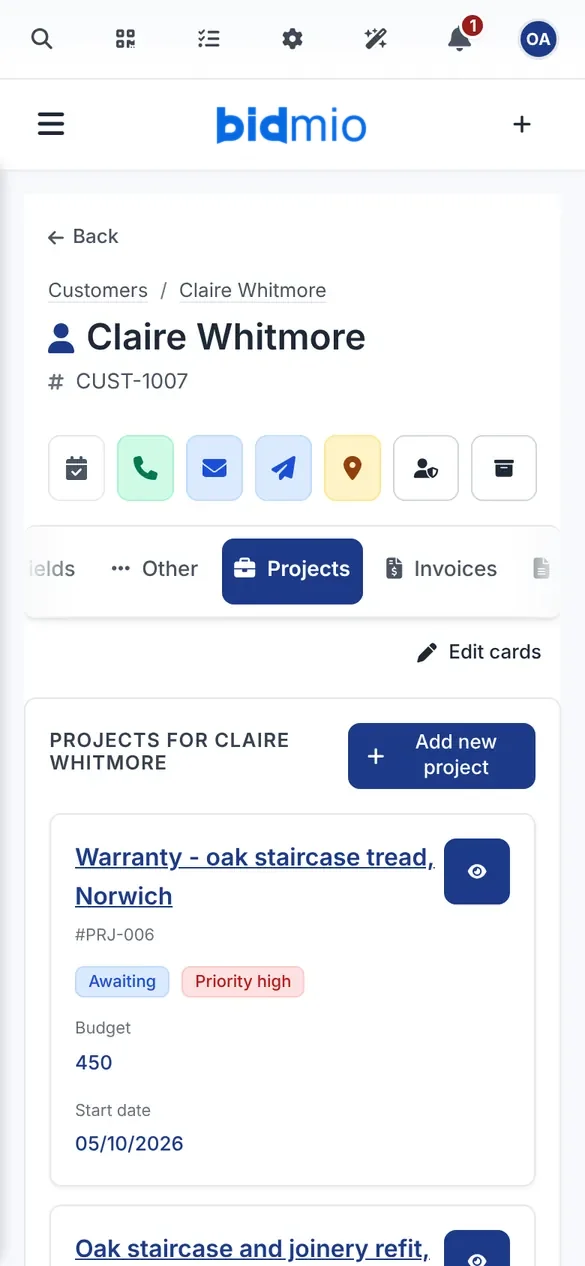
Claire has bought a Victorian terrace on Wherry Lane and wants the tired softwood stairs replaced with oak, plus doors and alcove wardrobes. Ben adds her once: name, address, phone and email. Every job, quote and invoice for that house will hang off this card.
Homeowners and builders on the same kind of card
Site address and billing address entered once
Past jobs and callbacks listed under one name
SoloProfessional
A real Bidmio screen with demo data.
2
Tuesday 15:00 · Survey
Survey the stairwell, then plan the job in milestones
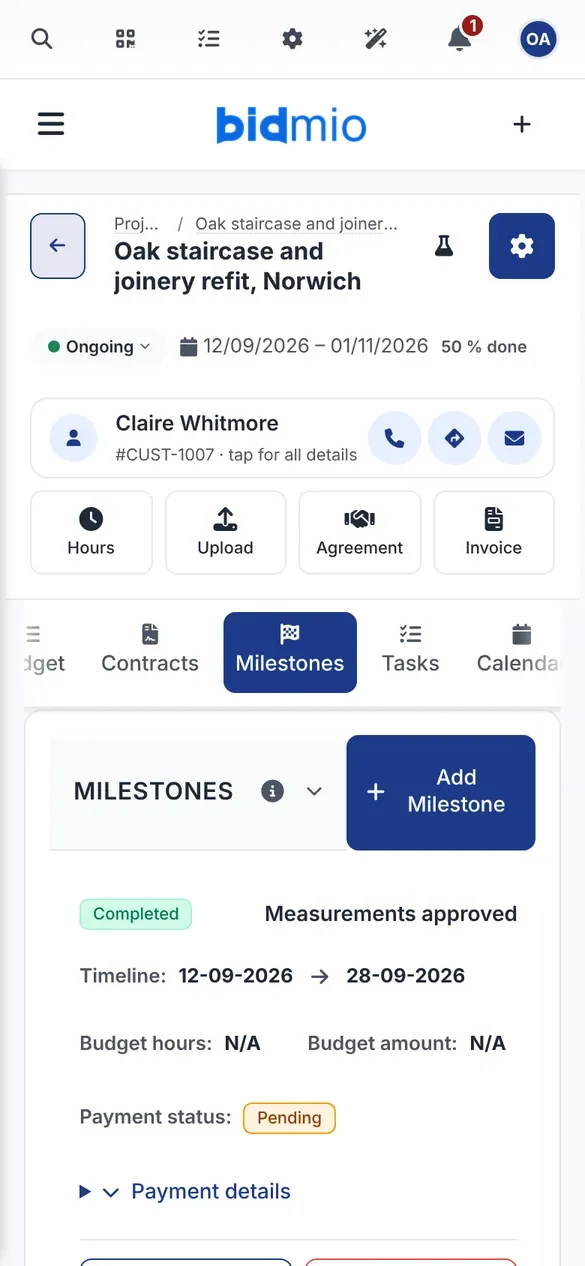
Ben measures floor to floor, checks the going and pitch against Part K and photographs the hall. Back at the workshop he sets up the job with four milestones: measurements approved, workshop production, installed on site and handover. Everyone can see which stage the job is at and when it is due.
Start and due date on every milestone
Tasks for the bench and for the fitters
Survey photos and notes stored on the job
SoloProfessional
A real Bidmio screen with demo data.
3
Wednesday evening · Quote
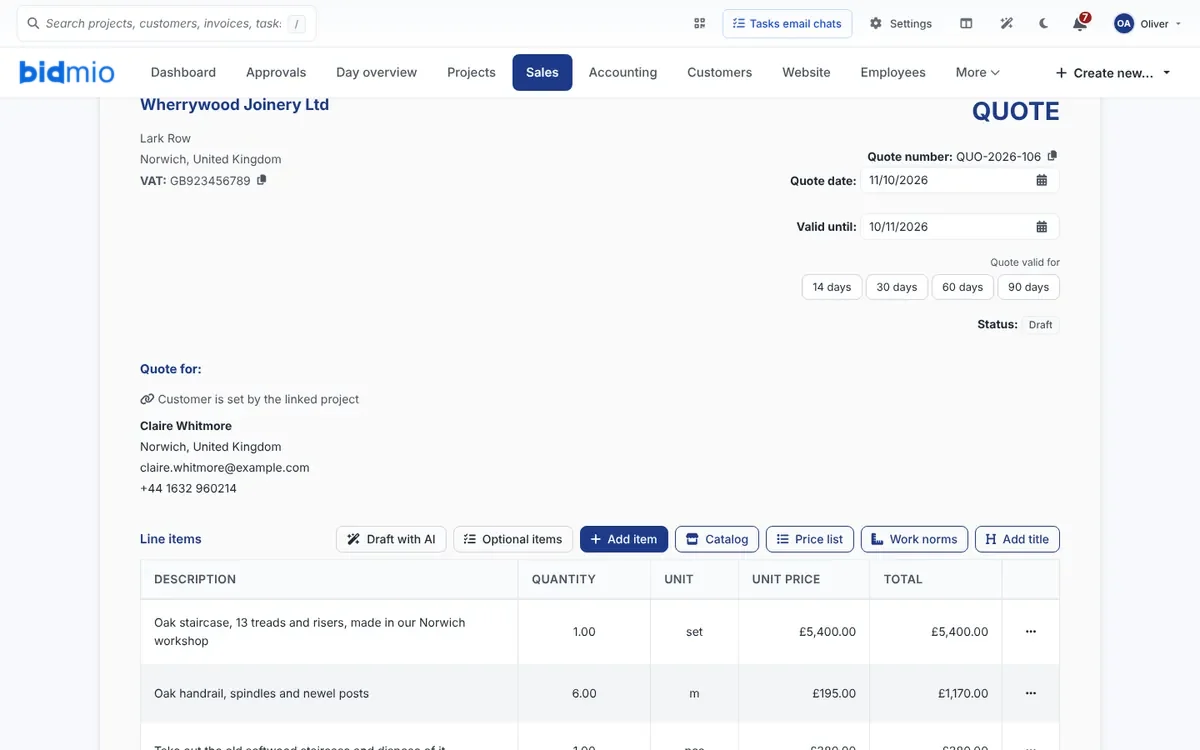
An itemised quote: fixed prices plus hours
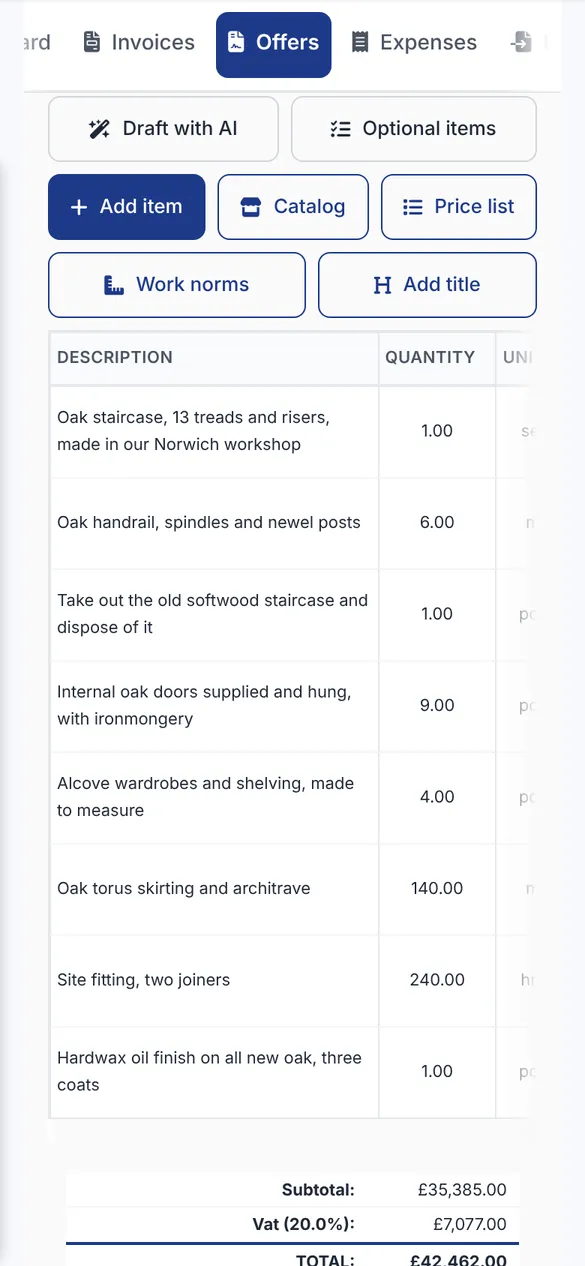
The staircase, handrail, doors and wardrobes go in as fixed-price items. Taking out the old stairs, skirting by the metre and fitting by the hour are separate lines, and VAT is added at 20 %. Claire sees exactly what is a set price and what depends on time on site.
Lines from your own price list and catalogue
Sets, pieces, metres and hours in one quote
A PDF with your workshop's logo
SoloProfessional
A real Bidmio screen with demo data.
4
Friday 9:00 · Acceptance
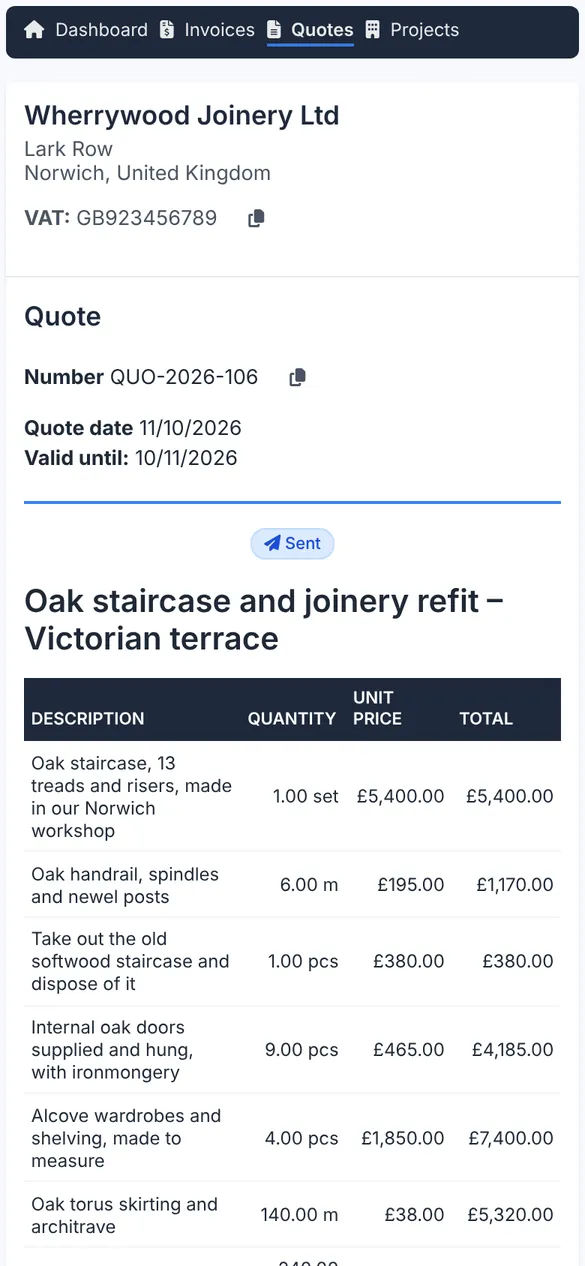
Claire accepts the quote from a link
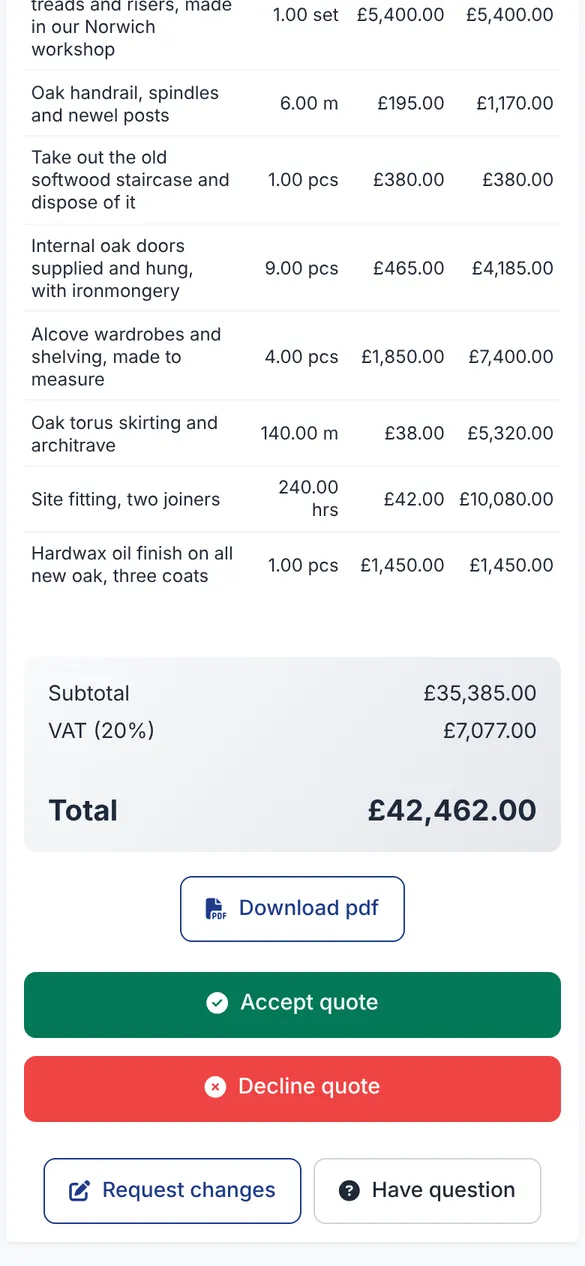
Claire gets a link, reads every line on her phone and accepts, declines or asks for changes. If she wants tapered spindles instead of square ones, Ben sends a new version and the old one stays in the history. Because the price was agreed at her home, Ben still gives her the 14-day cancellation notice himself.
Accept, decline or request changes
Your buying prices stay hidden
The accepted quote carries on as the job
SoloProfessional
A real Bidmio screen with demo data.
5
Friday 10:00 · Deposit
A deposit invoice before you buy the oak
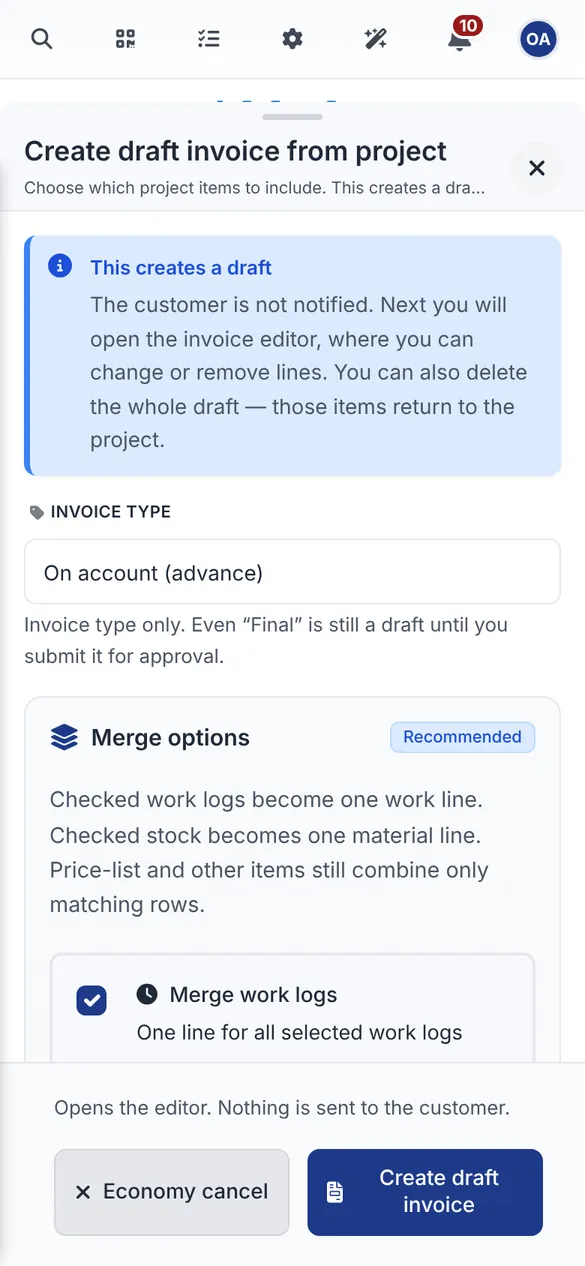
Prime oak boards and newel posts cost real money, and Ben does not want to fund them himself. From the job he raises a deposit invoice for 30 % and orders timber once it is paid. When the final invoice comes, Bidmio offers to deduct the deposit that was paid.
Deposit, stage and final invoices
A paid deposit is deducted on the final invoice
You check the draft before it goes out
SoloProfessional
A real Bidmio screen with demo data.
6
The following Monday · Materials
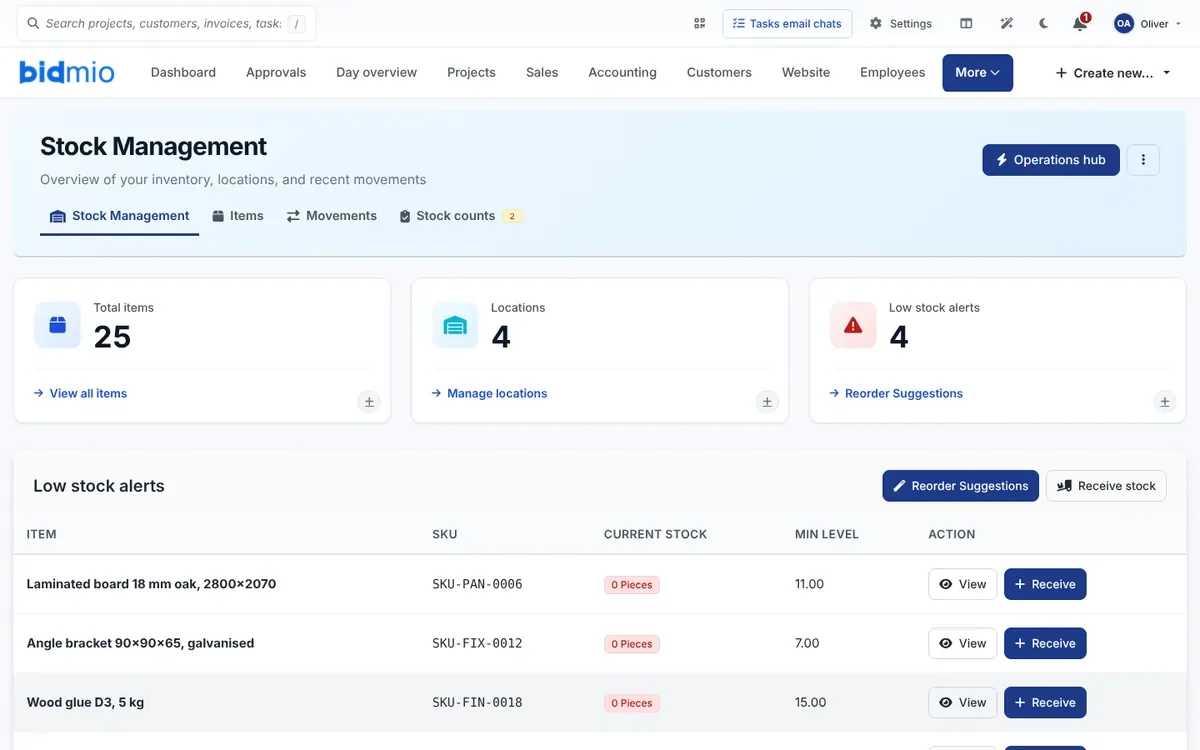
Stock shows which boards and fixings to reorder
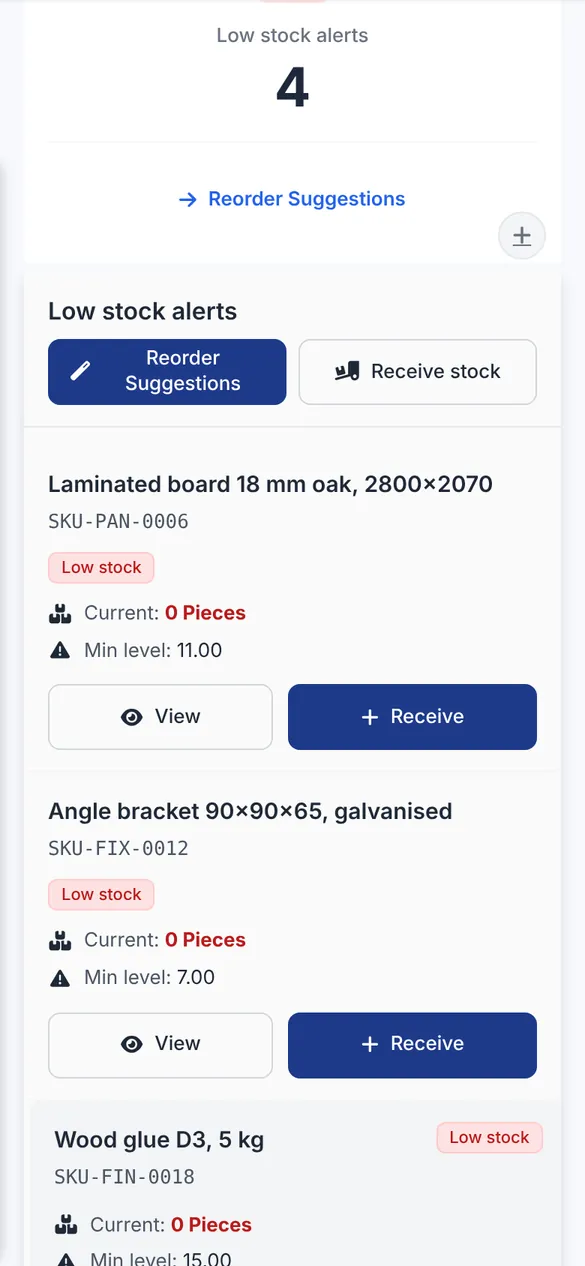
Sheet materials, brackets, glue and hinges sit in stock with a minimum level. When something drops below it, Bidmio flags it and suggests what to order from the merchant. Anything issued to the staircase job lands in that job's costs.
A minimum level for every item
Goods in and issues to a job
Merchant receipts attached to the job
Professional
A real Bidmio screen with demo data.
7
Week two · Workshop
The lads at the bench log their own hours
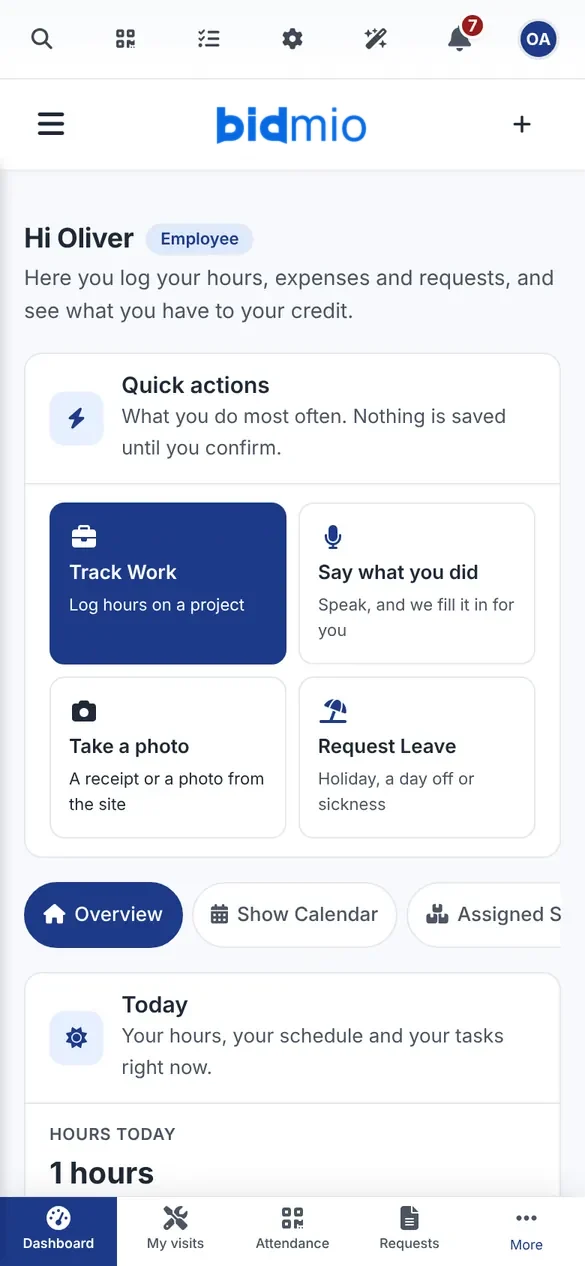
One of Ben's joiners taps Say what you did and says he spent four hours gluing and sanding treads. Bidmio turns that into a time entry on the job, he checks it and saves. By evening Ben knows how many hours the staircase has taken so far.
Each person has their own Work Zone screen
Hours against a task and a milestone
A photo of a receipt or the work in progress
SoloProfessional
A real Bidmio screen with demo data.
8
Week three · Fitting
A site diary while the staircase goes in
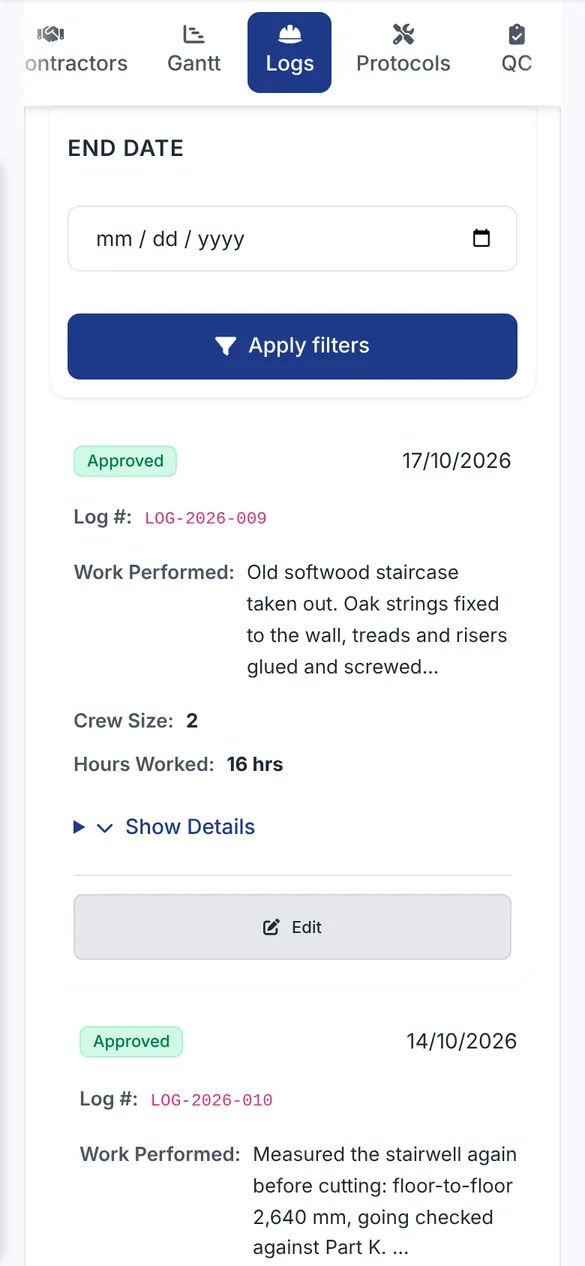
The fitters note what went in each day, how many were on site and how many hours they worked: old stairs out, strings fixed, treads and risers glued and screwed, first newel set. Entries are numbered and approved, so if a scuffed hall floor comes up later, there is a record.
Numbered entries with date and crew
Approval and a printable diary
Weather and site notes
SoloProfessional
A real Bidmio screen with demo data.
9
After handover · Invoice
The final invoice from the job, with your bank details
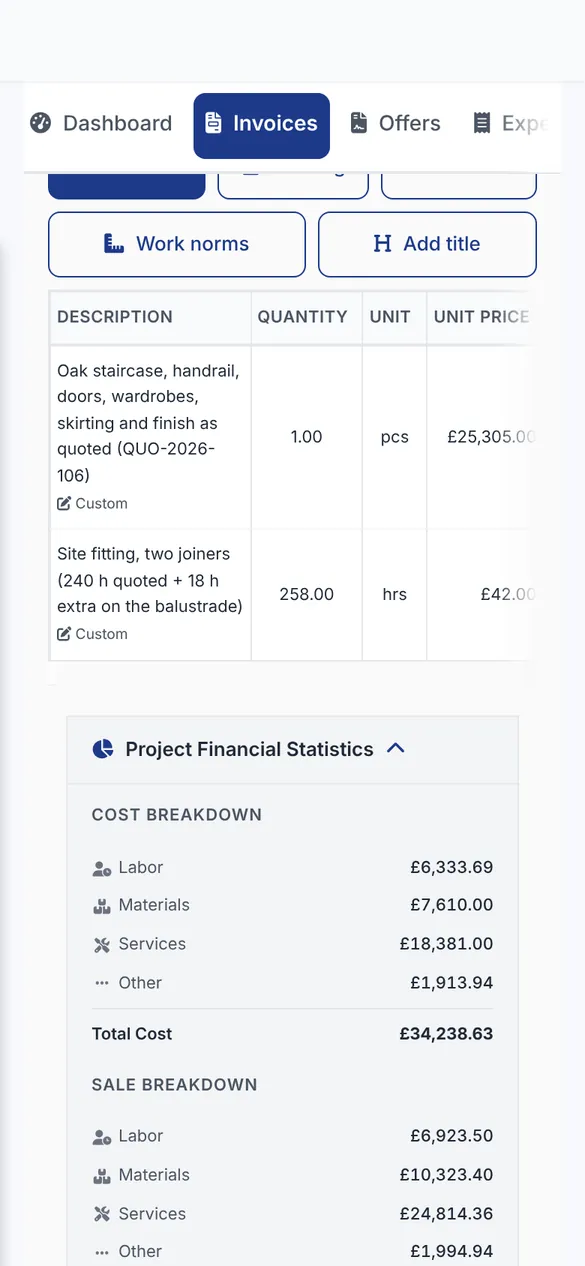
The fixed prices from the quote, the extra fitting hours and the materials are already on the job. Bidmio builds a draft invoice from them and Ben checks it. The deposit comes off, and the PDF shows his bank details, so Claire pays by bank transfer.
Lines from the quote, timesheets and stock
Paid deposit deducted
Part payments recorded against the invoice
SoloProfessional
A real Bidmio screen with demo data.
10
A year later · Callback
A creaking tread becomes its own warranty job
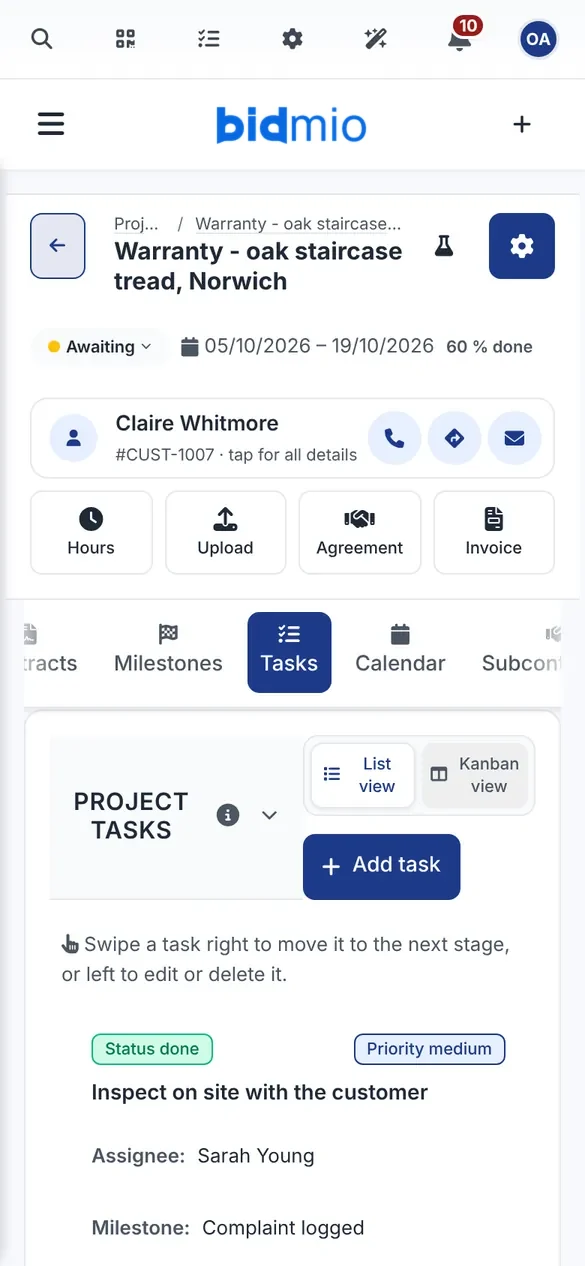
Oak moves. When a tread starts to creak after the first winter, Ben opens a warranty job with tasks: inspect on site, carry out the repair, close with a signed protocol. The original invoice stays as it was, and the callback hours are counted separately.
Tasks for the visit, the repair and the sign-off
The original job with photos and diary to hand
Callback costs kept apart from the profit
SoloProfessional
A real Bidmio screen with demo data.
Where the money goes
A fixed price holds until the workshop eats it
Joiners rarely lose money on timber. They lose it on hours nobody wrote down: glue-ups that took longer, a second trip to site to plane a door, or a handrail the customer added while you were fitting.
Today
Sizes on a scrap of MDF in the workshop, the quote in a spreadsheet at home
Deposit agreed on the phone, with no invoice behind it
Nobody adds up the hours the lads spend at the bench
Only the person who was on site knows what happened there
On a fixed price you find out about the loss after handover
With Bidmio
One quote with fixed-price items and hourly lines
A deposit invoice before you order a single board
Workshop hours on the job, spoken into a phone
A site diary from fitting with crew and hours
Cost and margin visible while the job is still running
Free checks · 2 minutes
Check your business as a carpenter
Run your own numbers: what to charge per hour, whether your quote makes money, what an employee costs and what your van costs per hour.
A demo joinery company with a fitted kitchen, a staircase, interior doors, storm-damaged roof timbers, stock of boards and fixings, and invoices. No sign-up needed, and the data resets every day.
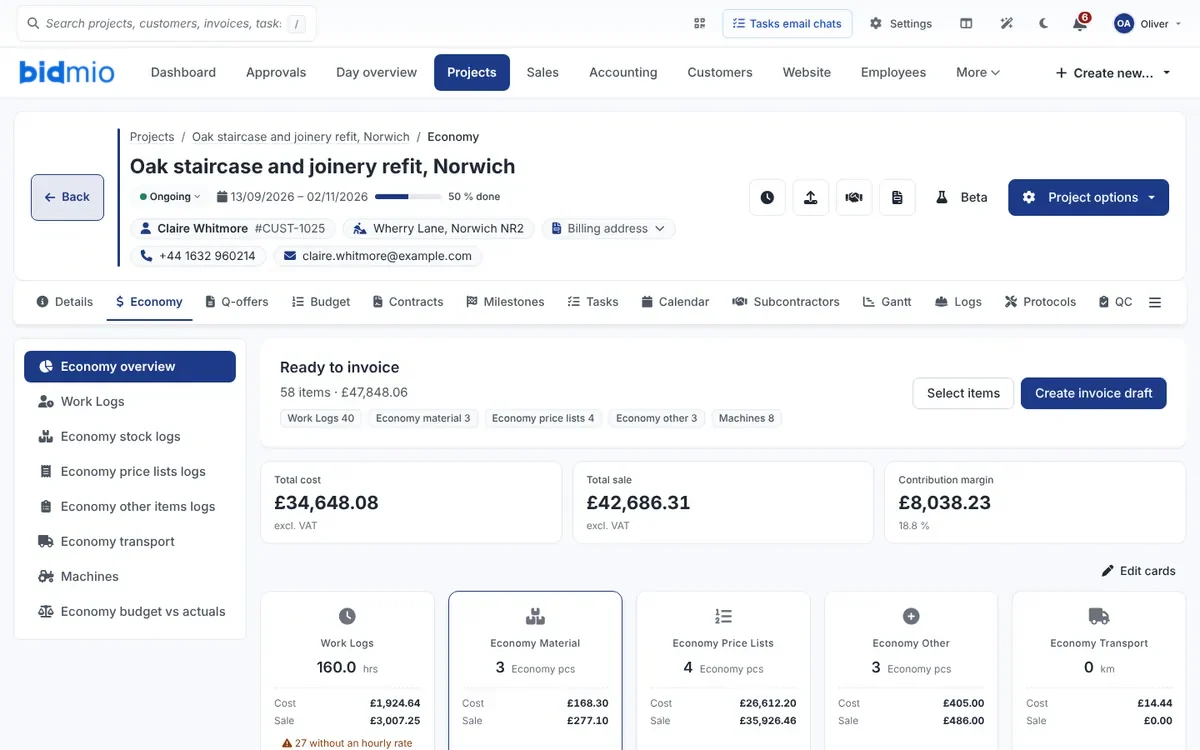
The job's economy page shows hours, materials and other items that are ready to invoice, along with the total cost and the margin. On a fixed price you can see early whether the workshop is spending more than you priced.
app.bidmio.com
In detail
Running carpentry and joinery jobs in Bidmio
The steps above follow one staircase. Here is more detail on pricing workshop jobs, taking deposits, tracking hours and materials, working on other people's sites, and what Bidmio leaves to other tools.
How to price a joinery job
A joinery price has four parts: materials, bench time, fitting on site and travel. The usual mistake is to price the timber and a guess at the labour, then forget waste from the boards, ironmongery that only comes in packs of ten, and the extra trip back to adjust a door that has dropped.
In Bidmio you set these up once in your price list. Oak-faced board, edging, soft-close hinges, a length of oak for newels and an hour at the bench each have a buying price and a selling price. On the quote you only pick the items and change the quantities. When the timber merchant puts prices up, you change the price list and new quotes use the new figure.
For larger pieces, such as a fitted kitchen or a staircase, split the quote into making and fitting. The customer understands what they are paying for, and the job keeps the planned workshop hours apart from the planned site hours. That pays off later when you compare plan with reality.
You do not have to copy a cutting list off paper. On the job's Products tab you build a cabinet from a template, such as a base, wall, tall or drawer unit, enter width, height and depth, and Bidmio works out the panels, edging and fittings, with a preview of the front as you go. A one-off piece is built panel by panel, and a parts list from your CAD program loads as a CSV. The result is a cutting list per board with sizes after edging, metres of edge banding and ironmongery, ready to print for the workshop.
Your own price list for boards, timber, ironmongery and labour
Lines in pieces, sets, metres, square metres and cubic metres
Buying price and margin visible only to you
Cabinets from templates with a preview, and your own pieces panel by panel
Parts lists from your CAD program imported as CSV
Cutting list per board with metres of edging and ironmongery
Fixed price or day rate
Homeowners and most builders want a fixed price. For standard units that is fine. For one-off work it means every unexpected hour comes out of your pocket. So many joiners mix the two: the main item at an agreed price, and adjustments on site, extras or making good charged by the hour.
Bidmio handles that mix in one quote and one invoice. A fixed-price line stays fixed, and hourly lines are filled in from the timesheets at the end. The customer sees what was agreed up front and what was charged on actual time, and you do not have to raise two invoices.
While the job runs, you watch its economy page. If bench hours on a fixed-price job grow faster than planned, you see it in the cost and the margin before fitting starts. You can then agree a change with the customer, or simply note it for the next price.
Deposits, stage payments and getting paid
Solid oak, veneered boards and the ironmongery for a whole kitchen often cost more than a small workshop wants to carry. Asking for a deposit before ordering materials is normal for bespoke joinery. Without an invoice behind it, though, a deposit gets lost in the paperwork, and at the end nobody is sure what is still owed.
In Bidmio you raise a deposit invoice straight from the job. When the customer pays, you record the payment against it. On the final invoice, Bidmio lists the deposits paid on the same job and you tick the ones to deduct. The customer is not billed twice and every payment sits on one job.
On longer jobs, such as shopfitting or doors for a block of flats, you can invoice in stages against milestones, each with its own invoice and payment status. For business customers you can print late payment terms on the invoice template. GBP invoices show your bank details for a bank transfer. There is no QR code or card payment link on UK invoices.
Hours at the bench and on site
Hours are the biggest unknown in joinery. Machining, edging, gluing, sanding, finishing and wrapping happen on different days, often across several jobs at once. If hours go into a notebook once a week, nobody remembers which hours belonged to which kitchen.
Every employee has their own Work Zone on their phone. They log hours against the job and a task, such as machining or fitting on site. Anyone who does not want to type can use Say what you did and check the entry before saving. The Work Zone also keeps entries when there is no signal, for example in a basement, and sends them once the phone is back online.
On hourly jobs you move the hours into the invoice in one step. On fixed-price jobs they are not invoiced, but they still count towards the cost, so you know whether the job paid.
Materials, stock and offcuts
A workshop usually keeps a small stock: a few types of board, MDF, softwood and hardwood lengths, screws, dowels, hinges, runners and glue. If nobody watches it, a missing hinge stops a fit just as surely as a missing board.
On the Professional plan you keep stock item by item with a minimum level. You book goods in when the delivery arrives and issue them to a job when they leave the shelf. When something falls below its minimum, Bidmio shows it on the overview and suggests a reorder, and stock counts help you check the shelves against the system. Materials issued to a job show up in its costs automatically.
A receipt from the timber merchant or a supplier's bill can also go straight onto the job as an expense, without stock. Each material has a buying and a selling price, so you can see what you make on timber and what you make on labour.
From the cutting list Bidmio makes a cutting plan. Panels are laid out on the sheet with the grain kept where it matters, lengths of timber and moulding are split across the lengths you buy, and the saw kerf is allowed for. You see how many sheets and lengths to buy, how much of them is used and which offcuts are worth keeping. On the Professional plan one click turns that into draft purchase orders with your preferred suppliers, in the unit you buy each item in. You print a label with a QR code for every panel and book the offcuts into stock as items of their own, so on the next job you know what is already in the workshop.
Cutting plans for sheets with grain direction and saw kerf
Draft purchase orders with your suppliers (Professional)
Panel labels with QR codes and offcuts back into stock (Professional)
Carpentry on site: roofs, first fix and the diary
Site carpenters usually work on someone else's job, often for a builder. A daily record of what was done, how many people were on site and what the weather was like is expected. When a delay or a damaged membrane is argued about later, the diary is the first thing the site manager asks for.
The site diary belongs to the job, on every plan from Solo up. Each entry has a number, a date, the work done, crew size, hours worked and the weather. Entries can be approved and the whole diary printed. You can compare the hours in the diary with the hours in the timesheets.
For a cut roof, timber is counted in metres and cubic metres and often arrives in one delivery straight to site. Put the merchant's delivery note or invoice on the job and you can see what the timber for that roof cost. A callout after a storm can run as a short job of its own with its own hours and invoice. Crews can clock in on site by scanning a QR code shown on a tablet in the site cabin.
The timber list for a cut roof is made on the job. Choose a gable or a lean-to roof, enter span, length, pitch, overhangs and the structure: couple rafters, collar ties, purlins on posts or trussed rafters. Bidmio draws the roof section to scale, counts rafters, collars, purlins, posts and battens, and suggests how many lengths to buy as the merchant sells them. For trussed rafters it prepares a request for the truss maker. The warning on rafter size is a rule of thumb only and does not replace a structural engineer.
Handover, snagging and callbacks
At handover it helps to have everything in one place: what was in the quote, what was added during fitting and what the customer signed off. Photos of the finished work, diary entries and a signed protocol go on the job, and a year later you find them without scrolling through your phone.
Timber moves, so callbacks happen even after good work: drawer fronts out of line, a creaking tread or a door that sticks after the winter. Under the Consumer Rights Act a homeowner can ask you to put right work that was not done with reasonable care and skill. In Bidmio you open the callback as a new job with tasks for the visit, the repair and the sign-off. The original invoice is left alone and the callback hours are counted separately.
A task with a due date on the warranty job reminds the team when the repair has to be done, and a photo report as a PDF shows the customer what was found and fixed.
Getting started in a week
On day one, set up your company, logo and bank details, and load a price list of your most common boards, ironmongery and labour rates. Customers can be imported from a spreadsheet or added as new quotes come in.
On days two and three, send your first quote through Bidmio and let the customer accept it from the link. Invite one joiner into the Work Zone and have them log hours on that job. At the end of the week raise a deposit or an invoice and look at the job's economy page to see what the hours and materials really cost.
If you only want to look first, open the joinery demo. It has a fitted kitchen, doors for a new build, storm-damaged roof timbers, a staircase and a warranty callback, with the same screens you see on this page.
What else Bidmio does for carpenters and joiners
Saws, routers, compressors and scaffold towers can each have their own card with a QR label. You can see who has which machine, when it came back and when it is due a service by its running hours (Developer plan).
Training records with expiry dates, such as working at height or a site card, an accident book and PPE issue are kept in the health and safety module, which reminds you before something runs out (Professional plan). Risk assessments and method statements can be stored as files on the job.
You can take measurements for a cut roof or a run of fitted wardrobes from a PDF drawing, and open the architect's IFC model in the browser (Developer plan). A simple company website with an enquiry form, included on every plan, sends new requests into one inbox, and you decide which ones become customers.
A spoken work report records the whole day in one go. In the Work zone, or from the job's options menu, you record up to three minutes: which job, who worked how long, what was done and what material went in. If you would rather not talk, type it. Bidmio turns it into hours, material from the van, from the price list or as a one-off item, and a site diary note. You check every line, and nothing reaches the job until you tap Save to project. Whoever may create invoices then taps Create invoice draft on the saved report and gets a draft partial invoice with exactly those hours and that material; nothing is issued or sent. Reports still without a draft wait for the office on the invoice list under Spoken reports. It needs AI switched on and uses AI credits.
Tools and machines with QR labels and service dates (Developer)
Health and safety: training expiry, accident book, PPE (Professional)
Measurements from PDF drawings and an IFC viewer (Developer)
Purchase suggestions and stock counts for the workshop (Professional)
Site clock-in with a QR code and holiday requests from the phone
Job chat with translation for mixed-language crews
Company website and enquiry forms (all plans)
Spoken work report: hours, material and a diary note from one recording, then an invoice draft
What Bidmio does not do for carpenters and joiners
Bidmio is not a UK accounting package. It does not file VAT returns with HMRC, it is not Making Tax Digital software and it does not replace Xero, QuickBooks or Sage for your books. Keep those, or your accountant, for VAT returns and year-end accounts.
It does not run the Construction Industry Scheme. If you work as a subcontractor for a builder, CIS deductions, monthly returns and the VAT domestic reverse charge for construction services stay with your accountant or bookkeeping software.
It does not draw furniture in 3D or drive a CNC machine, and its roof timber list is not a structural calculation. It does not check a staircase against Part K or certify fire doors. It is not a FENSA or Certass registration either: compliance stays with you and your building control route, and Bidmio simply keeps the paperwork on the job.
No HMRC filing, MTD or CIS
No QR codes or card payment links on GBP invoices
No 3D drawing, CNC output or structural calculations
No Building Regulations checks or door certification
Typical jobs
Software for the work carpenters and joiners actually do
From a fitted kitchen in a flat to the roof on a new house.
Fitted kitchens and wardrobes
Survey, a quote with boards and ironmongery, a deposit and fitting. Units at a fixed price, fitting by the hour.
Doors and second fix on a new build
Forty doors, skirting and architrave for a builder. Each plot or floor as its own milestone with a due date.
Cut roofs and first fix
A timber list from the roof section, lengths to buy from the merchant and carpenters' hours. A site diary entry for every day on the roof.
Staircases and balustrades
The staircase at a fixed price, extra fitting on actual hours. Both in one quote and one invoice.
Storm damage callouts
A cracked rafter after a gale. Log the visit, the temporary props and the timber straight away and invoice the next morning.
Maintenance contracts
Regular adjustment of doors and drawers in shops or offices under contract, with a recurring invoice.
Switching
What you can put away
Bring your customers, price list and stock with you. We help you move over on a call.
Plans in euros, your invoices in poundsBidmio plans are priced and billed in euros, so your card or bank converts the monthly amount to pounds. Everything your joinery sends to customers, quotes and invoices included, is in pounds with UK VAT.
Your accountant keeps the booksInvite your accountant as an external user for the companies you choose and remove the access in one click. They see the invoices, receipts and bank matches, or you send a CSV export. Bidmio does not file with HMRC and does not replace Xero, QuickBooks or Sage.
Line by line from your own price list. The piece itself can be one fixed-price line, with fitting, delivery or a balustrade as separate lines in hours, metres or sets. The customer gets a link where they accept the quote or ask for changes.
Can I raise a deposit invoice for materials?+
Yes. From the job you create a draft deposit invoice and send it once you have checked it. When you do the final invoice, Bidmio offers to deduct the deposits paid on that job.
How do the lads in the workshop log their hours?+
Each person has their own Work Zone on their phone. They type the hours or say them with Say what you did, then check the entry before saving. Hours go against the job and the task, so you know what each staircase cost.
Can I keep a site diary on carpentry jobs?+
Yes, on every plan, Solo included. On the job you write daily entries with the work done, crew, hours and weather. Entries can be approved and the diary printed for the site manager.
Does Bidmio handle CIS or Making Tax Digital?+
No. Bidmio does not do CIS deductions or returns, does not file VAT with HMRC and is not MTD software. Keep your accountant or Xero, QuickBooks or Sage for that, and use Bidmio for quotes, jobs, hours and invoices.
I keep stock of boards and ironmongery. Can Bidmio cope?+
Yes, on the Professional plan. Stock items have a minimum level, goods in and issues to a job. When something falls below the minimum, you see a reorder suggestion.
I draw my work in another program. Do I have to retype it?+
No. Load the parts list from your CAD program on the Products tab as a CSV; the columns are recognised by their headings. Bidmio turns it into a cutting list and a cutting plan. It does not draw furniture in 3D or drive a CNC machine.
Can I look at Bidmio before signing up?+
Yes. Open the joinery demo without registering. When you want to try it on your own jobs, you have First month 90% off.
Can Bidmio make a cutting plan for sheet material?+
Yes. From the job's parts list it lays panels out on the sheets with grain direction and saw kerf, and splits timber across the lengths you buy. It shows how many sheets to buy, the yield and which offcuts are worth putting back into stock.
Will Bidmio work out the timber for a roof?+
Yes, for gable and lean-to roofs with couple rafters, collar ties or purlins, and for trussed rafters. You get a roof section, a timber list and lengths to buy. It is not a structural calculation; the warning on rafter size is a rule of thumb only.